How to Withdraw from XT.com: Fees, Limits and Step-by-Step Guide

Withdrawing cryptocurrency from XT.com is a simple process, but selecting the wrong blockchain network or entering an incorrect wallet address can result in a permanent loss of funds. Before confirming an XT.com withdrawal, users should carefully check the destination address, supported network, withdrawal fee, minimum amount, and final amount that will be received.
XT.com allows users to withdraw cryptocurrencies such as USDT, Bitcoin, Ethereum, Solana, XRP, and hundreds of altcoins to another exchange or a private crypto wallet. The platform also supports instant internal transfers between XT accounts without a blockchain withdrawal fee.
Contents
- 1 Story Highlights
- 2 Quick Answer: How Do You Withdraw from XT.com?
- 3 What Should You Check Before Withdrawing from XT.com?
- 4 How to Withdraw from XT.com on the Website
- 5 How to Withdraw from the XT.com Mobile App
- 6 Example: How to Withdraw USDT from XT.com Using TRC20
- 7 XT.com Withdrawal Fees Explained
- 8 XT.com Withdrawal Limits
- 9 How Long Does an XT.com Withdrawal Take?
- 10 XT.com Withdrawal Pending or Not Received
- 11 How to Find Your XT.com Withdrawal TxID
- 12 Common XT.com Withdrawal Problems and Solutions
- 13 Important Security Tips Before Withdrawing
- 14 Register on XT.com and Unlock Exclusive New-User Benefits
- 15 Frequently Asked Questions
- 16 Final Thoughts: Is Withdrawing from XT.com Easy?
- 17 Also Read
In this complete guide, the XT Guide team explains how to withdraw from XT.com using the website and mobile app, how XT withdrawal fees and limits work, how long a withdrawal normally takes, and what to do when an XT.com withdrawal is pending or has not arrived.


stay with xt guide in this article
Story Highlights
- XT.com supports on-chain withdrawals to external exchanges and private wallets.
- Unverified users can currently withdraw up to 200,000 USDT per day, while KYC-verified users can withdraw up to 10,000,000 USDT per day.
- Withdrawal fees and minimum amounts depend on the cryptocurrency and blockchain network selected.
- Transfers between two XT.com accounts are generally instant and do not require a blockchain withdrawal fee.
- Always make sure the withdrawal network matches the network supported by the receiving wallet.
Quick Answer: How Do You Withdraw from XT.com?
To withdraw cryptocurrency from XT.com, log in to your account, open the Spot Account, select Withdraw, choose the cryptocurrency, paste the receiving wallet address, select the correct blockchain network, enter the withdrawal amount, and complete the required security verification.
XT.com will display the withdrawal fee and the final amount the recipient will receive before you confirm the transaction.
The basic withdrawal process is:
- Log in to your XT.com account.
- Open Funds or Spot Account.
- Select Withdraw.
- Choose the cryptocurrency.
- Enter the receiving address.
- Select the correct network.
- Enter the withdrawal amount.
- Review the fee and final received amount.
- Complete email, phone, or Google Authenticator verification.
- Confirm the withdrawal.
If you do not have an XT account yet, registering through the exclusive XT Guide link may unlock special new-user futures rewards and cashback opportunities.
New users can also read our complete guide on how to register on XT Exchange before depositing or withdrawing cryptocurrency.
What Should You Check Before Withdrawing from XT.com?
Crypto withdrawals are irreversible after the transaction has been submitted to the blockchain. For this reason, you should verify every withdrawal detail before clicking the final confirmation button.
Check the Receiving Wallet Address
Make sure the address belongs to the cryptocurrency you are withdrawing. A Bitcoin address cannot receive USDT, and an Ethereum address may not support every USDT network.
Copy and paste the address directly from the receiving wallet. Avoid typing a wallet address manually.
For larger withdrawals, it is recommended to send a small test transaction first. Once the test amount arrives successfully, you can send the remaining balance.
Check the Blockchain Network
The withdrawal network on XT.com must match the deposit network selected by the receiving platform.
For example, USDT may be available through several networks, including:
- TRC20
- ERC20
- BEP20
- Arbitrum
- Polygon
- Solana
If the receiving platform only supports USDT-TRC20, you must select TRC20 on XT.com. Choosing ERC20 or another incompatible network may cause the funds to be lost or require a complicated recovery process.
Never select a network only because it has the lowest fee. The first priority must always be compatibility with the receiving wallet or exchange.
Move Funds to Your Spot Account
XT.com processes regular cryptocurrency withdrawals from the Spot Account. If your funds are held in a Futures, Margin, Copy Trading, or Earn account, you may need to transfer them back to your Spot Account before withdrawing.
This is an internal account transfer and normally does not require a fee.
If you are currently trading derivatives, read our complete XT.com futures trading guide before transferring or closing active positions.
Review the Minimum Withdrawal Amount
Each cryptocurrency and blockchain network has its own minimum withdrawal requirement. XT.com displays the current minimum amount directly on the withdrawal page.
If the amount entered is below the minimum, the withdrawal request cannot be submitted.
Review the Withdrawal Fee
The XT.com withdrawal fee depends on the asset and network selected. The fee is displayed before the transaction is confirmed and is normally deducted from the amount being sent.
Because network conditions can change, users should always check the live fee shown on the XT withdrawal page instead of relying on an old fixed fee table.
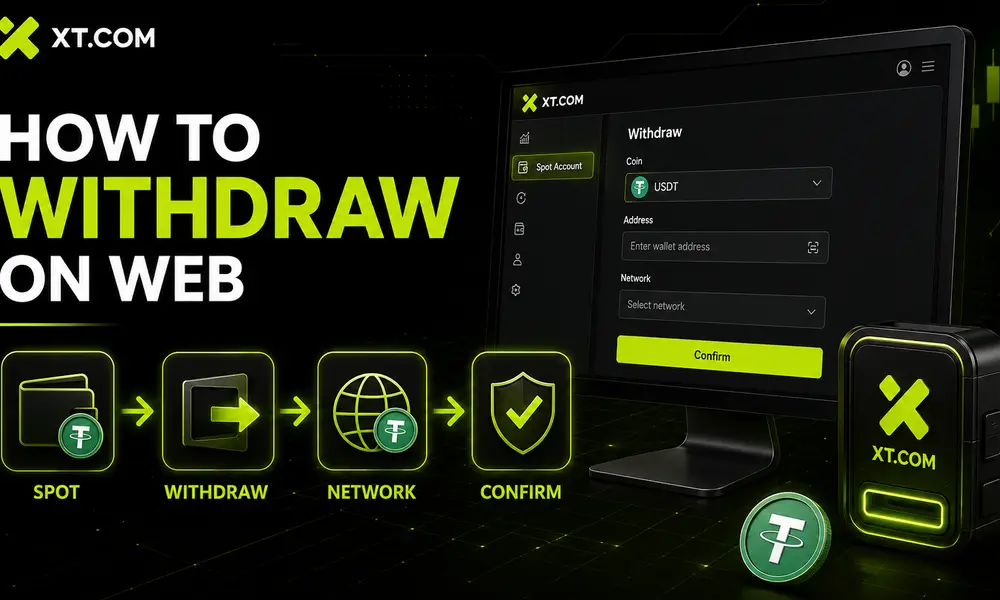
How to Withdraw from XT.com on the Website
The following instructions explain how to withdraw USDT or another cryptocurrency using the XT.com desktop website.
Step 1: Log In to Your XT Account
Visit the official XT.com website and log in using your email address or phone number.
Always verify that the website address is correct before entering your password or verification code. Fake XT login pages may be designed to steal account information.
Users who want to learn more about the platform’s account protection systems can read our detailed investigation: Is XT Exchange safe?
Step 2: Open Your Spot Account
After logging in, open the Funds or Assets section and select Spot Account.
Your available Spot balance will be displayed on this page. If your cryptocurrency is held in another XT account, transfer it to the Spot Account first.
Step 3: Select Withdraw
Find the cryptocurrency you want to transfer and click Withdraw.
You can also open the withdrawal page first and then search for the required asset by its name or ticker symbol.
For this example, we will use USDT.
Step 4: Select the Withdrawal Method
XT.com may display more than one withdrawal option:
- On-chain withdrawal: Sends cryptocurrency to an external wallet or another exchange.
- XT user/internal transfer: Sends cryptocurrency directly to another XT.com user.
Select Address or On-chain Withdrawal when transferring funds outside XT.com.
Step 5: Enter the Receiving Address
Copy the deposit address from the destination wallet or exchange and paste it into the XT.com withdrawal address field.
Check the beginning and ending characters of the address carefully. Malware can sometimes replace a copied crypto address with an attacker’s address.
You may also save trusted addresses in the XT.com address book for future withdrawals.
Step 6: Select the Correct Network
XT.com will display the blockchain networks supported for the selected cryptocurrency.
Choose the same network that is shown on the receiving platform. For example:
- XT withdrawal network: USDT-TRC20
- Receiving platform deposit network: USDT-TRC20
Both networks must match.
If the destination requires a Memo or Tag, such as some XRP, XLM, EOS, or TON deposits, enter it exactly as displayed by the receiving platform.
Step 7: Enter the Withdrawal Amount
Enter the amount of cryptocurrency you want to withdraw.
XT.com will automatically display:
- Available balance
- Minimum withdrawal amount
- Network fee
- Amount deducted
- Final amount received
Review all figures before continuing.
Step 8: Confirm the Withdrawal
Click Withdraw after checking the address, network, amount, and fee.
XT.com may ask you to complete one or more security checks, including:
- Email verification code
- SMS verification code
- Google Authenticator code
- Security password
- Anti-phishing verification
Enter the required codes and confirm the transaction.
Step 9: Track the Withdrawal
Once submitted, open Fund Records and select the Withdrawal tab to monitor its status.
When XT.com broadcasts the transaction to the blockchain, a Transaction ID or TxID will be generated. You can use the TxID to track the transaction through the relevant blockchain explorer.
How to Withdraw from the XT.com Mobile App
The XT mobile app provides access to the same withdrawal features available on the desktop website.
If you have not installed the application yet, use our complete XT Exchange app download guide to find the official Android and iOS versions.
Step 1: Open the XT App
Open the XT.com application and log in to your account.
Step 2: Go to Assets
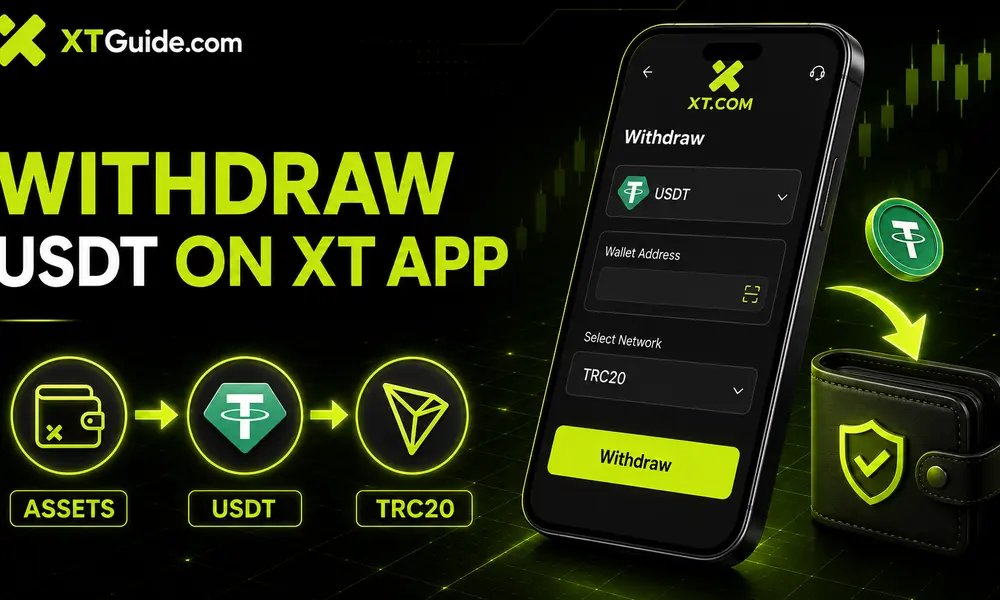
Tap Assets at the bottom of the app and select Withdraw.
Step 3: Select the Cryptocurrency
Search for the cryptocurrency you want to withdraw. In this example, select USDT.
Step 4: Select On-Chain Withdrawal
Choose On-chain if you want to send the funds to an external wallet or another crypto exchange.
Choose Internal Transfer only when the recipient also has an XT.com account.
Step 5: Enter the Withdrawal Details
Paste or scan the recipient’s wallet address, select the correct blockchain network, and enter the withdrawal amount.
Before continuing, check:
- Receiving address
- Blockchain network
- Memo or Tag, if required
- Withdrawal fee
- Final amount received
Step 6: Complete Security Verification
Tap Withdraw and complete the requested email, SMS, or Google Authenticator verification.
The transaction will appear in your withdrawal history after it has been successfully submitted.
Example: How to Withdraw USDT from XT.com Using TRC20
USDT is one of the most commonly withdrawn cryptocurrencies on XT.com. The TRC20 network is often selected because many exchanges and wallets support it, but compatibility must still be confirmed before the withdrawal.
To withdraw USDT through TRC20:
- Open the deposit page on the receiving wallet or exchange.
- Select USDT.
- Select the TRC20 network.
- Copy the USDT-TRC20 deposit address.
- Log in to XT.com.
- Open the Spot Account and select Withdraw.
- Choose USDT.
- Paste the receiving address.
- Select TRC20 as the withdrawal network.
- Enter the amount.
- Review the fee and final received amount.
- Complete security verification.
- Confirm the transaction.
Do not send USDT through TRC20 if the destination platform does not support this network.
XT.com Withdrawal Fees Explained
XT.com does not use one fixed withdrawal fee for every cryptocurrency. The cost depends on the coin and blockchain network selected.
Several factors can affect the withdrawal fee:
- Cryptocurrency being withdrawn
- Blockchain network
- Current network conditions
- Validator or miner fees
- Minimum withdrawal requirements
- Changes made by XT.com or the blockchain network
For example, withdrawing the same stablecoin through TRC20 and ERC20 may produce different fees. However, the cheapest network is not always the correct network.
XT.com displays the live withdrawal fee before the user confirms the transaction. This allows you to compare the supported networks and see exactly how much the recipient will receive.
Does XT.com Charge a Deposit Fee?
XT.com normally does not charge a platform fee for standard cryptocurrency deposits. However, the sending exchange or wallet may charge its own withdrawal or blockchain fee.
Are Internal XT Transfers Free?
According to XT.com, transfers between XT users can be completed without a blockchain withdrawal fee and are generally credited immediately.
To use this method, select XT User or Internal Transfer and enter the recipient’s:
- XT User ID
- Registered email address
- Registered phone number
Always verify the recipient’s information before confirming an internal transfer.
XT.com Withdrawal Limits
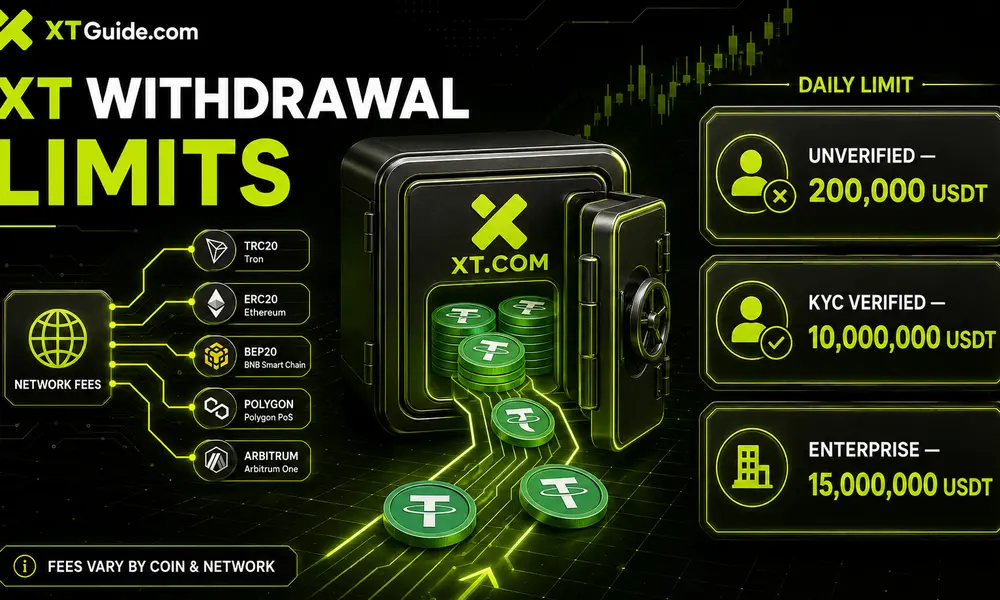
XT.com calculates daily withdrawal limits in USDT value. The limit resets each day at 00:00 UTC.
According to the current XT.com withdrawal limit guide, the limits are:
| Verification Level | Daily Withdrawal Limit |
|---|---|
| Unverified account | 200,000 USDT |
| KYC-verified account | 10,000,000 USDT |
| Enterprise-verified account | 15,000,000 USDT |
The value of a cryptocurrency withdrawal is converted into USDT when calculating the daily limit.
For example, if a user has a 200,000 USDT daily limit, the total value of all withdrawals during that day cannot exceed 200,000 USDT.
These limits and verification requirements may change depending on compliance policies, the user’s country, security reviews, account risk controls, or future XT.com updates.
You can check your current personal limit through:
Overview → Identity Verification → Current Amount Limit
Can You Withdraw from XT.com Without KYC?
Yes. Based on XT.com’s current published limits, an unverified account may withdraw up to 200,000 USDT per day.
However, XT.com may request additional identity verification in certain situations, including:
- Unusual account activity
- Large or abnormal withdrawals
- Security concerns
- Password or 2FA changes
- Compliance reviews
- Bonus abuse investigations
- Use from restricted locations
- Account recovery requests
Completing KYC increases the published daily withdrawal limit and may provide access to additional fiat and P2P services.
Read our step-by-step XT KYC guide to learn how identity verification works.
How Long Does an XT.com Withdrawal Take?
An XT.com withdrawal passes through three main stages:
- XT.com processes and broadcasts the withdrawal.
- The blockchain confirms the transaction.
- The receiving wallet or exchange credits the deposit.
XT.com states that a TxID is typically generated within approximately 30 to 60 minutes. However, this does not always mean the funds will immediately appear in the destination account.
The total time depends on:
- XT.com processing and security review
- Blockchain congestion
- Number of confirmations required
- Selected cryptocurrency and network
- Deposit processing speed of the receiving platform
- Missing or incorrect Memo/Tag
- Temporary wallet maintenance
Some withdrawals may arrive within minutes, while others can take longer during periods of heavy network congestion.
XT.com Withdrawal Pending or Not Received
If your XT.com withdrawal has not arrived, first check whether a TxID has been generated.
Situation 1: No TxID Has Been Generated
If no TxID is available, XT.com may still be reviewing or processing the withdrawal.
Possible causes include:
- Security verification
- Wallet maintenance
- Risk-control review
- Incorrect verification code
- Recently changed password or 2FA settings
- Temporary withdrawal suspension
- Network maintenance
Wait for the processing period to finish. If the status does not change, contact XT.com support and provide the withdrawal details.
Situation 2: TxID Exists but the Transaction Is Unconfirmed
If the blockchain explorer shows the transaction as pending or unconfirmed, the withdrawal has been broadcast but is still waiting for blockchain confirmation.
In this situation, you normally need to wait for the network to confirm the transaction.
Situation 3: Blockchain Shows Confirmed but Funds Have Not Arrived
If the blockchain explorer shows that the transaction is confirmed, XT.com has completed the on-chain transfer.
Contact the receiving exchange or wallet and provide:
- TxID
- Cryptocurrency
- Network
- Amount
- Receiving address
- Screenshot of the withdrawal record
The destination platform may still be waiting for additional confirmations or manually reviewing the deposit.
Situation 4: Wrong Network Was Selected
If you selected a network that is not supported by the destination, contact the receiving wallet or exchange immediately.
Recovery may be possible if the destination controls the private key for that address, but it is not guaranteed. Some platforms charge a recovery fee, while others cannot recover incorrectly transferred assets.
Situation 5: Wrong Address Was Entered
Blockchain transactions cannot normally be reversed. If the funds were sent to an unknown or incorrect address, XT.com cannot cancel the transaction after it has been confirmed.
This is why sending a small test transaction is recommended before making a large withdrawal.
How to Find Your XT.com Withdrawal TxID
A TxID, also called a transaction hash, is a unique code used to identify an on-chain transaction.
To find it on the XT.com website:
- Log in to XT.com.
- Open Funds.
- Select Spot Account.
- Open Fund Records.
- Select Withdraw.
- Open the relevant transaction.
- Copy the TxID.
To find it in the XT app:
- Open the XT app.
- Tap Assets.
- Open Spot.
- Select Fund Records.
- Open the withdrawal transaction.
- Copy the TxID.
Paste the TxID into the appropriate blockchain explorer to check the transaction status.
Common XT.com Withdrawal Problems and Solutions
| Withdrawal problem | Possible reason | Recommended action |
|---|---|---|
| Withdraw button is unavailable | Funds are not in the Spot Account | Transfer the asset to Spot |
| Amount is below minimum | Network minimum not reached | Increase the withdrawal amount |
| Address is rejected | Invalid address or unsupported format | Copy the correct deposit address |
| Network is unavailable | Wallet maintenance or suspension | Wait or select another compatible network |
| Verification code does not arrive | Email or SMS delay | Check spam, signal and account details |
| Withdrawal remains processing | Security or risk-control review | Wait and contact XT support if delayed |
| TxID remains unconfirmed | Blockchain congestion | Monitor the blockchain explorer |
| Transaction confirmed but not credited | Receiving platform delay | Contact the destination platform |
| Funds sent through wrong network | Network mismatch | Request recovery from the receiving platform |
| Daily limit reached | Withdrawal limit exhausted | Wait until the limit resets at 00:00 UTC |
Important Security Tips Before Withdrawing
Following a few basic security practices can significantly reduce the risk of losing cryptocurrency during a withdrawal.
Enable Google Authenticator
Google Authenticator adds another layer of protection to the withdrawal process. Even if someone discovers your password, they may not be able to withdraw funds without the time-based verification code.
Activate an Anti-Phishing Code
An anti-phishing code helps users distinguish genuine XT.com emails from fake messages.
Use the Address Book
Save frequently used addresses after verifying them. This reduces the risk of copying an incorrect address in future transactions.
Send a Test Amount
For large withdrawals, send a small test transaction before transferring the full balance.
Never Share Verification Codes
XT.com support should not ask you to send your password, Google Authenticator code, or withdrawal verification code through social media or private messages.
Avoid Fake XT Websites
Access XT.com through the official website or official mobile app. Be cautious of advertisements, Telegram accounts, and websites using similar domain names.
Register on XT.com and Unlock Exclusive New-User Benefits
Users who register through the exclusive XT Guide referral link may become eligible for a special welcome package designed for new futures traders.
Depending on the current campaign and completed requirements, eligible users may receive:
- Up to 500 USDT in Futures Bonus
- Up to 55% cashback on eligible Futures Account transfers
- Up to 800 USDT in additional trading bonuses
- A potential 100 USDT cash reward after reaching the required futures trading volume
- Access to additional tasks and rewards through the XT Rewards Hub
Promotional rewards are subject to eligibility requirements, campaign periods, trading volume, deposit conditions, regional restrictions, and XT.com’s current terms.
To understand how the available promotions work, read our complete XT Exchange bonus guide and check the latest XT.com referral code before registration.
Important: Make sure you use the exclusive link during registration. A referral code or promotional link may not be added to an existing account after the registration process has been completed.
Frequently Asked Questions
What is the XT.com withdrawal fee?
XT.com withdrawal fees depend on the cryptocurrency and blockchain network selected. The current fee and final received amount are displayed on the withdrawal page before confirmation.
What is the minimum withdrawal on XT.com?
There is no single minimum amount for every cryptocurrency. The minimum withdrawal depends on the asset and network. XT.com displays the applicable minimum on the withdrawal page.
Can I withdraw from XT.com without KYC?
XT.com currently publishes a daily withdrawal limit of up to 200,000 USDT for unverified users. Nevertheless, additional verification may be required because of security, compliance, location, or account risk-control reviews.
What is the withdrawal limit after completing KYC?
KYC-verified users currently have a published daily withdrawal limit of up to 10,000,000 USDT. Enterprise-verified accounts have a published limit of up to 15,000,000 USDT.
When does the XT.com withdrawal limit reset?
The daily withdrawal limit resets at 00:00 UTC.
How long does XT.com take to process a withdrawal?
A TxID is typically generated within approximately 30 to 60 minutes, but processing can take longer because of security checks, network congestion, wallet maintenance, or blockchain confirmation requirements.
Why is my XT.com withdrawal still pending?
The withdrawal may be undergoing a security review, waiting to be broadcast, affected by wallet maintenance, or waiting for blockchain confirmations. Check the withdrawal status and TxID in Fund Records.
Can I cancel an XT.com withdrawal?
A withdrawal generally cannot be cancelled after it has been processed and broadcast to the blockchain. Contact XT support immediately if the request is still under internal review, but cancellation is not guaranteed.
Can I withdraw USDT through TRC20?
Yes, when TRC20 is available for USDT withdrawals. Make sure the receiving wallet also supports USDT on the TRON/TRC20 network.
Are transfers between XT.com users free?
XT.com states that internal transfers between XT users can be completed without a blockchain withdrawal fee and are normally credited immediately.
What should I do if I used the wrong network?
Contact the receiving platform immediately and provide the TxID, address, asset, network, and transaction amount. Recovery depends on whether the destination platform supports asset recovery and is not guaranteed.
Is XT.com safe for withdrawing cryptocurrency?
XT.com provides common account security tools, including two-factor authentication, email and SMS verification, withdrawal records, and address management. Users must still verify the address and network carefully because completed blockchain transactions are irreversible.
Final Thoughts: Is Withdrawing from XT.com Easy?
Withdrawing cryptocurrency from XT.com is straightforward when the correct steps are followed. Users can withdraw through the XT website or mobile application, monitor transactions using a TxID, and transfer funds internally to another XT user without a blockchain fee.
The most important part of every withdrawal is ensuring that the cryptocurrency, receiving address, and blockchain network are completely correct. Never choose a network only because it offers a lower fee, and always consider sending a small test amount before making a large transfer.
XT.com also provides relatively high published daily withdrawal limits. Unverified users can currently withdraw up to 200,000 USDT per day, while KYC-verified users can withdraw up to 10,000,000 USDT per day.
If you are planning to start trading on XT.com, register through the exclusive XT Guide link to become eligible for the latest welcome bonuses and futures rewards.
Also Read
- XT Sign Up: Register and Unlock Exclusive Rewards
- KYC on XT Exchange: Complete Verification Guide
- Is XT Exchange Safe? Complete Security Review
- XT Exchange Bonus: How to Claim New-User Rewards
- Download the Official XT Exchange App
- XT.com Spot Trading Guide
- XT.com Futures Trading Guide
- XT Copy Trading: Complete Beginner Guide